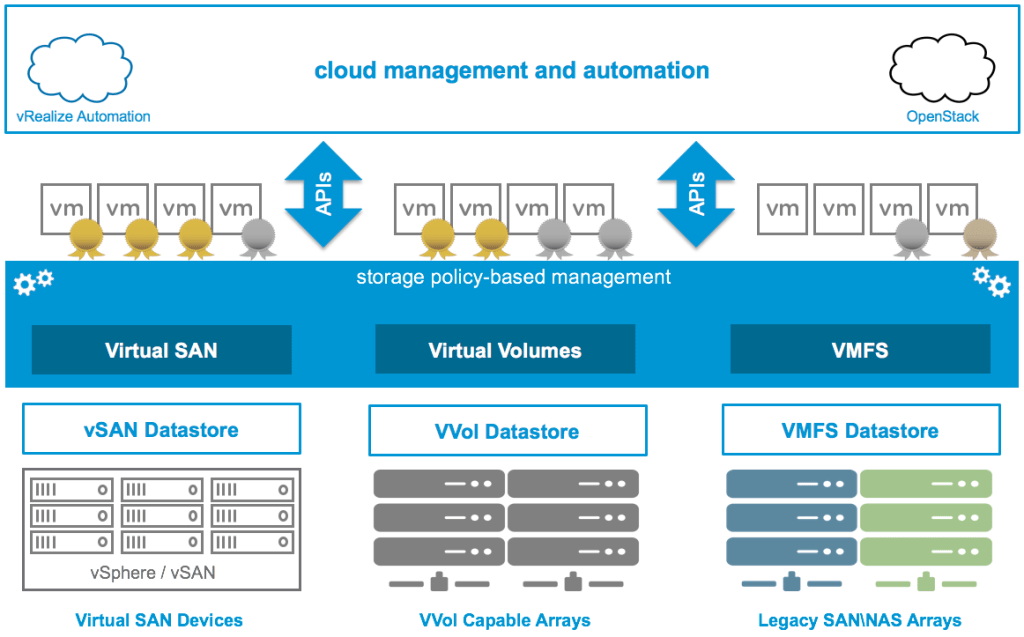
In a VSAN environment storage policy determines how objects are stored, what protection measure to be employed. .. But, this article is not about vsan storage policy, but it’s about a strange issue which I faced while applying a policy .
Recently, I was working on an customer with a large stretched cluster. Some of the VMs in their environment could not be applied RAID-5 stretched cluster, (storage policy). All the basic connectivity were tested; such as storage and VM components / object compliance with the chosen storage; Storage space availability, latency across sites etc. Yet, storage policy could not be applied.
That’s when we started looking at the components of the VM individually. On the logs I was able to view the below entries
failed to connected to component xxxxxxx1-4c90-a436-a03d-bc97e1e1b260 on host 60ba176d-8c2f-0634-a98c-xxxxxxxxx
The error message on vcenter GUI was I/0 error. Whilst inspecting the component on host , we see that component is reachable and is in a healthy state
/localhost/XXXXXXXX/computers> vsan.cmmds_find -u xxxxxxxx-4c90-a436-a03d-bc97e1e1b260 ~0
+—+————-+————————————–+————————+———+———————————————————–+
| # | Type | UUID | Owner | Health | Content |
+—+————-+————————————–+————————+———+———————————————————–+
| 1 | LSOM_OBJECT | xxxxxxxx -4c90-a436-a03d-bc97e1e1b260 | esxi06.fh-bielefeld.de | Healthy | {“diskUuid”=>” xxxxxxxx -9656-cc11-3f79-9d9d76f079f2″, |
| | | | | | “compositeUuid”=>” xxxxxxxx -30f0-1181-c287-bc97e1e1b260″, |
| | | | | | “capacityUsed”=>12582912, |
| | | | | | “physCapacityUsed”=>4194304, |
| | | | | | “dedupUniquenessMetric”=>100} |
+—+————-+————————————–+————————+———+———————————————————–+
With all “healthy” status why was storage policy still not being applied ? What process might be locking the LSOM . LSOM performs the below duties :
It provides read and write buffering
It performs the encryption process for the vSAN datastore
It reports unhealthy storage and network devices
It performs I/O retries on failing devices
It interacts directly with the solid-state and magnetic devices
It performs solid-state drive log recovery when the vSAN node boots up
That’s when we decided the look into other apps which work with vCenter, such as any DR application. And there it was VEEAM, it was trying to backup the VM ( full backup) it was exactly working on the objects / disks that were throwing an error whilst changing the storage policy.
Therefore we waited for veeam to finish it’s backup and re-applied the SP and it applied successfully.
 Cloud and Security