Distributed Denial of Service (DDoS) attacks have become a prevalent threat in the digital landscape, disrupting online services and causing significant downtime. To safeguard against these attacks, network administrators and cybersecurity professionals employ various tools and techniques. In this article, we’ll explore how Wireshark, a widely-used network protocol analyzer, can be utilized to analyze and identify the sources of DDoS attacks.
Understanding DDoS Attacks: DDoS attacks overwhelm a target’s network or services by flooding them with an excessive volume of traffic. Identifying the source of such attacks is crucial for mitigating their impact and implementing effective countermeasures.
What happens when all fail-safe mechanisms do not help in screening the DDoS attack. What would be the tool that can be used to identify and dissect the attack? Let’s Start with the oldest and the most powerful arsenal, Wireshark!

Using Wireshark for Analysis: Wireshark allows users to capture and analyze network traffic, providing deep insights into the packets traversing the network. Here’s a step-by-step guide on using Wireshark to analyze and find the source of a DDoS attack:
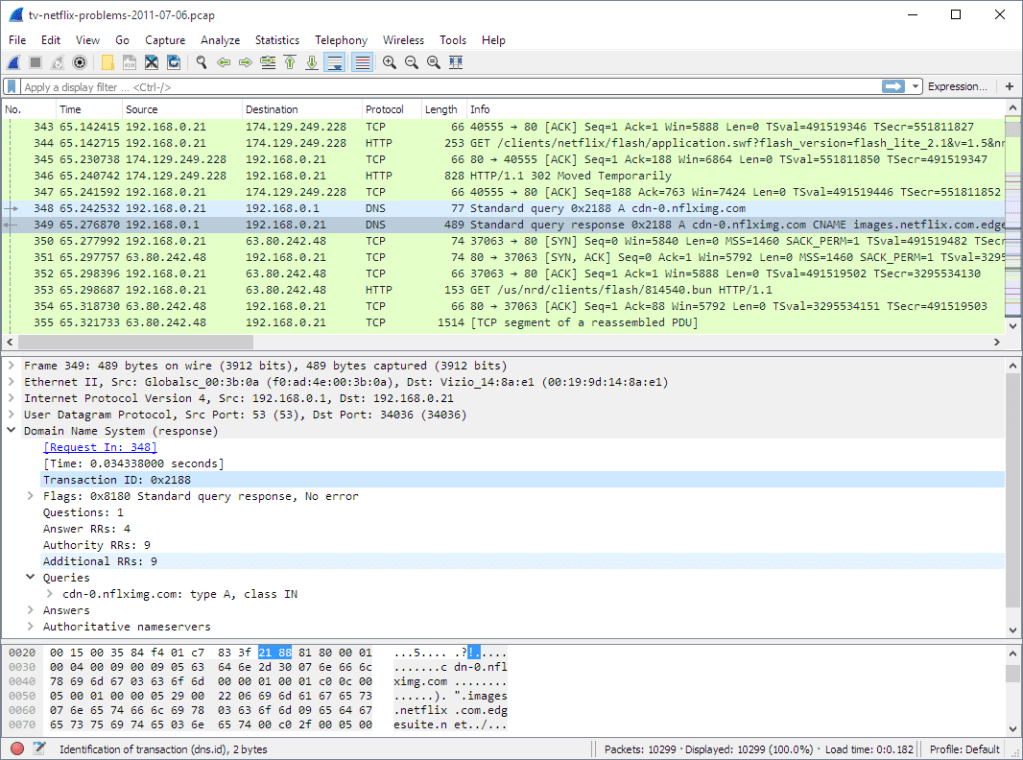
- Capture Traffic:
- Begin by launching Wireshark and selecting the network interface connected to the targeted system.
- Start the packet capture process to capture all incoming traffic.
- Filter Traffic:
- Apply filters to narrow down the captured data and focus on the relevant packets. For DDoS attacks, look for patterns such as a sudden surge in traffic or multiple requests from a single IP address.
- Analyse Traffic Patterns:
- Examine the captured packets to identify patterns associated with a DDoS attack. Look for characteristics like high packet rates, unusual payload sizes, or a high number of connection attempts.
- Identify Malicious IP Addresses:
- Once patterns indicative of an attack are identified, pinpoint the IP addresses responsible for the suspicious traffic. Wireshark provides details such as source and destination IP addresses for each packet.
- Explore Packet Payloads:
- Dive deeper into packet payloads to analyze the content of the traffic. Look for any commonalities or signatures that may reveal the nature of the DDoS attack.
- Follow the Attack Path:
- Trace the path of the attack by analyzing the captured packets in chronological order. This helps in understanding how the attack is evolving and identifying potential sources.
- Implement Countermeasures:
- Armed with information about the source of the DDoS attack, take appropriate countermeasures. This may involve blocking malicious IP addresses, adjusting firewall settings, implementing traffic filtering rules baselining traffic patterns, and setting SIEMS to pick it when things go above and alert administrators.
- Implement SOAR to automate security workflows. When a surge in traffic is detected that is beyond a normal/maximum pattern observed, SOAR can automate countermeasures, hence avoiding the waiting time for human intervention.
Verdict: Wireshark proves to be a powerful standalone tool in the arsenal of cybersecurity professionals when it comes to analyzing and identifying the sources of DDoS attacks. By capturing and scrutinizing network traffic, administrators can gain valuable insights, enabling them to respond effectively and fortify their defenses against future attacks. Regular monitoring and proactive measures are essential components of a robust cybersecurity strategy in the ever-evolving landscape of online threats.
 Cloud and Security