A massive IT outage is causing worldwide chaos with disruption at airports, banks, medical centers, and more.
Millions of computer systems are not working this morning – only displaying the “blue screen of death” – as a result of a Microsoft glitch
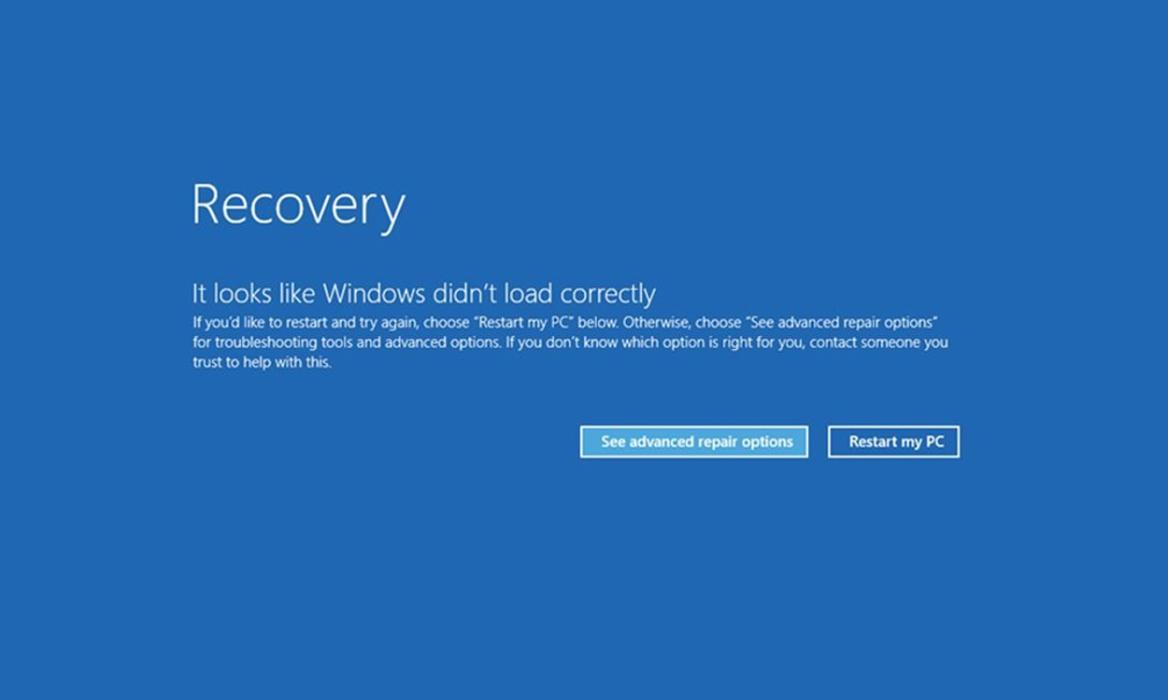
What is the cause ?
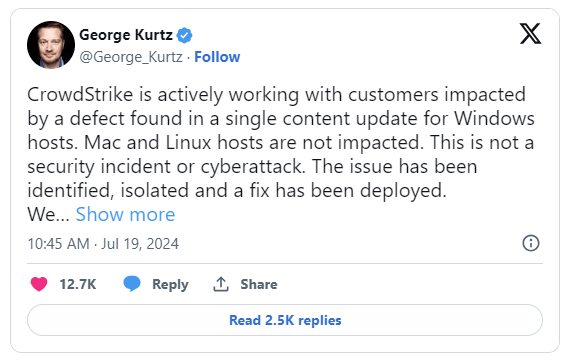
Crowdstrike’s update for Microsoft Windows is causing this issue. It is linked to their product Falcon. Below is what the CEO says on Twitter.
What is the workaround?
1. Boot Windows into Safe Mode or WRE.
2. Go to C:\Windows\System32\drivers\CrowdStrike
3. Locate and delete file matching “C-00000291*.sys”
4. Boot normally.
Now comes the exciting part. What if you have BitLocker encryption. If your machine suffers a BSOD and requires a reboot into Safe Mode for recovery, you’ll need your BitLocker recovery key to regain access. Unfortunately, in this scenario, typical remote support may not be possible due to the system state. So if you do not have the BitLocker encryption key you cannot recover Windows, we are in kind of a pickle now.
Do not worry, By default, BitLocker recovery keys are often backed up to your Microsoft account or OneDrive. Here is how you can find it.
Here’s a quick guide:
- Access Your Microsoft Account: Log in to your Microsoft account using your work credentials at https://account.microsoft.com/account/manage-my-account.
- Locate Your Device: Navigate to the “Devices” section and select your specific laptop / Device name.
- View and Save Your Recovery Key: Look for the “View BitLocker Keys” option. Once you have your key, copy and paste it into a secure text file.
- Secure Offline Storage: Print out a physical copy of the key or save it to a secure offline location that you can access even without your laptop.
In an enterprise environment, this blog has detailed info on how to back up BitLocker keys to the active directory via GPO. For backing up Bitlocker Keys to Microsoft Entra ID, details can be found in the blog here.
Proactive Business Continuity (BC), Disaster Recovery (DR), and Cyber Recovery Strategies are crucial to mitigate the risk of such large-scale outages. By implementing these plans, organizations can ensure a swift and efficient recovery in the event of such an incident.
 Cloud and Security